
Table of contents:
- Finding the best Hosting that has a free Domain name and SSL Certificate
- Installing WordPress as a Content Management System (CMS)
- Installing a free theme or purchasing a premium theme on Themeforest
- Installing plugins and demos in the purchased theme
- Update the Colour, logo, navigation menu, images and content
Picture this: a smooth, professional website tailored to your vision, developing in the span of a coffee break without delving into complex code is no longer distant. Sounds too good to be true right? The landscape of website development has evolved. In this step-by-step tutorial, Join me as we unveil the secrets behind developing a no-code website in 10 minutes. Let’s dive into it!
Finding the best Hosting that has a free Domain name and SSL Certificate
There are over 5 top hosting in the internet out there which offer a free domain name and SSL Certificate security, Hosting is where you host your site like a digital storage drive similar when building your own house this is the lot, the domain name is the address of your site example: www.mybusiness.com and the SSL Certificate is a security for your website, don’t create a website without an SSL certificate it is very important and it’ll help you with the security from the hackers it’s like your lock and cctv on your house, especially if you website handles a payment.
Here are the top five Hosting with a free domain and SSL Certificate which I have tried for my clients.
- GoDaddy
- Hostinger
- WP Engine
- Bluehost
- Siteground
All five hosting have similar offers and prices, you’ll just want to check their product features like speeding up the site and backing up your site every week.
Installing WordPress as a Content Management System (CMS)
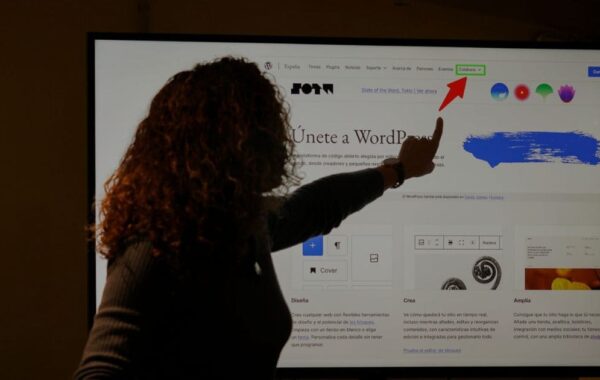
WordPress is like the foundation of the house or what kind of materials you are going to use like the whole structure of the house, It’s where a plugin and a theme are added and it’s free to install, with over a thousand plugins and themes.
It can be installed using your hosting, For most hosting accounts when you purchase, it will redirect it to a WordPress installation setup, and it’ll give you fresh login details and can log in using this link www.mybusiness.com/wp-admin/.
Installing a free theme or purchasing a premium theme on Themeforest
Installing a THEME on your WordPress website is a must, and once you’ve installed WordPress it automatically installs the default THEME, or you can buy a theme from Themeforest.net, which I recommend because you can choose what niche design you want to be in your website. Cost is from USD 39 to USD 59, once you can purchase a theme that resonates with your business you can download it from the Themeforest dashboard and install it on your site in Your website>Appearance>Theme.

Installing plugins and demos in the purchased theme
Premium themes have free premium plugins and free demos, DEMOS is a one-click install button on your theme, you just click it and all of the design of the theme will automatically install, but you need to install first the plugins that come from the theme. On every premium theme, it has a documentation pdf file which you need to read or watch the video, it will only take you 2 min to understand it.
Update the Colour, logo, navigation menu, images and content
Once the plugin and demo are successfully installed, you can now change the existing logo, update the navigation menu you want, and replace the images and text you want on each page.
In conclusion, the rapid evolution of no-code website development tools in 2024 has truly revolutionized the digital world, The step-by-step guide presented here demonstrates the simplicity and efficiency of the process, showcasing the user-friendly interfaces and intuitive functionalities. Whether you’re an entrepreneur, a creative professional, or someone exploring the digital realm for the first time, the tools available in 2024 make website creation not just accessible but also an enjoyable experience.
Get in touch
Kick-start your digital presence with a stunning website and engaging visuals today. Find out how we can help you and book an introductory call