
Table of contents:
The Premise
When you hear ‘Google I/O,’ your mind probably jumps to massive tech campuses, groundbreaking announcements in California, and a vibe that feels.. well, very Silicon Valley. Right?
But what if I told you that same energy, that same focus on the future, is thriving in places you might not expect? What happens when a global tech giant’s biggest event lands in a local city like Cagayan de Oro?
Today, I had the privilege of attending Google I/O Extended CDO, and it wasn’t just another tech conference. It was a powerful reminder that innovation isn’t confined to a few global hubs. It’s happening everywhere, especially here, and it’s being driven by people just like us. In this post, I’ll share the key sessions from the event, the local insights that resonated most, and what it all means for web developers, freelancers, and local businesses ready to embrace what’s next.
Setting the Stage
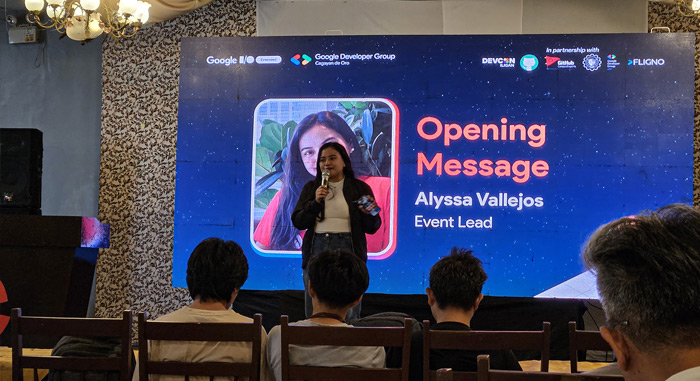
Arriving at the venue, there was a familiar buzz in the air, a mix of anticipation, nervous energy, and the faint scent of coffee. The crowd was mostly made up of students and members of local tech organizations, a clear sign of the event’s strong community vibe. After a warm welcome from Alyssa Luchana Vallejos, the stage was set for the opening act.
The day kicked off with Joshua de Guzman, a Senior Software Engineer at dub and a Google Developer Expert , who introduced a concept he called “vibe coding.” It’s not just about writing code that works, but about creating code that feels good, that builds an experience. As a web developer, this idea of designing for humans, not just for machines, resonated deeply.
Joshua quickly got to the heart of the matter: AI is the biggest shift happening in our industry right now. Not just another trend, but a fundamental change. He hinted that tools like Firebase Studio and Gemini are at the forefront of this transformation, a theme that would be explored throughout the day.
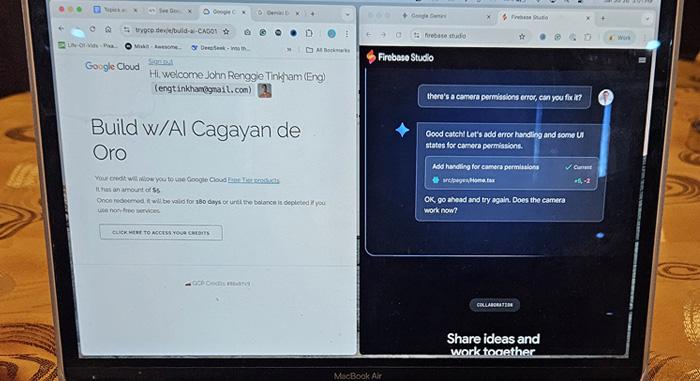
And, in a very welcome detail, we were all given a free $5 credit for Google Cloud. Because nothing says ‘welcome to the future’ like a small allowance for cloud computing, right?
AI for Everyone
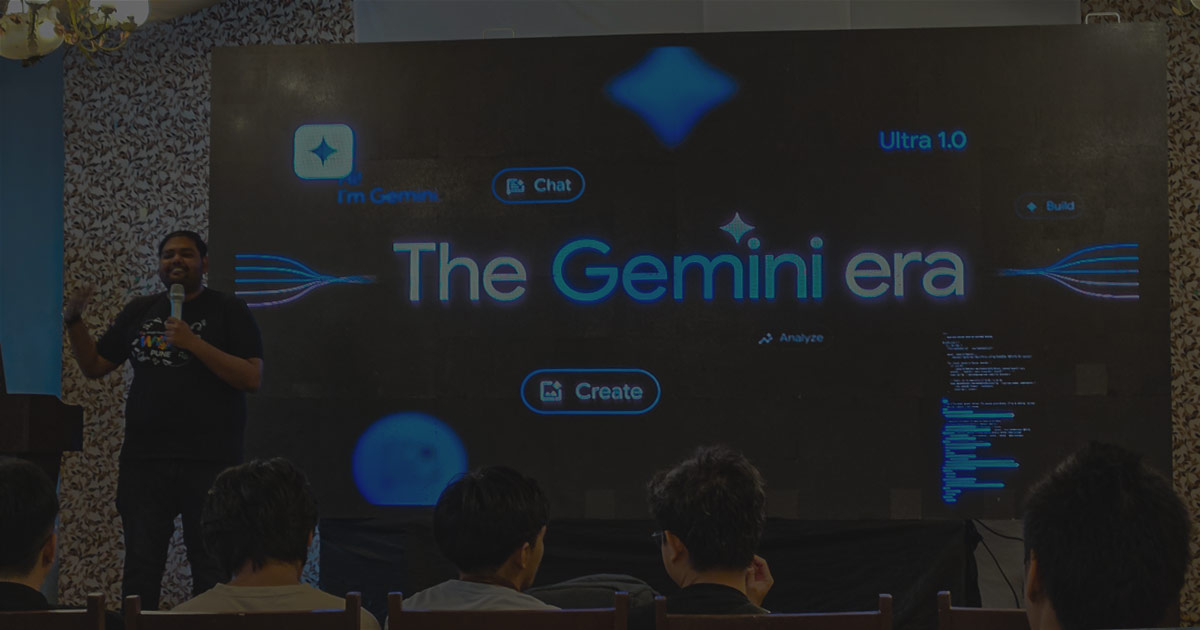
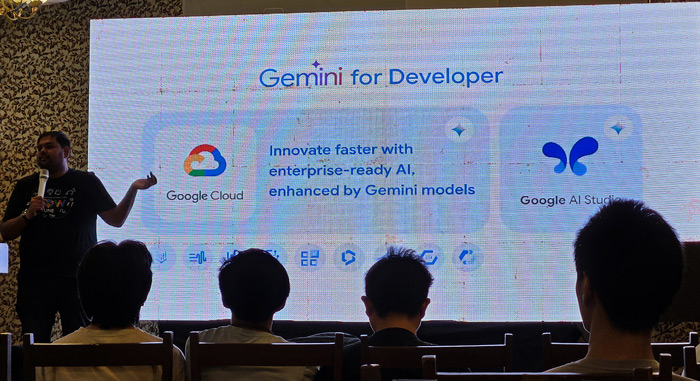
The next session, “Smarter Browse with Chrome’s Built-In AI Features,” was led by Vrijraj Singh, a Google Developer Expert from India. This is where the abstract idea of AI started to feel very real.
Vrijraj dove straight into Gemini, Google’s powerful AI model. He broke down its different versions: Ultra for highly complex tasks, Pro for all-around performance, and Nano, which is efficient enough to run directly on devices like your phone or even inside the Chrome browser.
We watched a live demo of the Google AI Studio, a platform for experimenting with Gemini. The biggest lesson here wasn’t just about the tool itself, but about the importance of how you talk to AI. Learning to “prompt” effectively is becoming as crucial as writing code; it’s like learning a new language to communicate with an intelligent assistant.
For web developers like me, the most exciting part was the mention of the Chrome Built-in AI API. This allows AI capabilities, such as text generation, to be integrated directly into websites. Think of AI-powered summaries on news articles, smart forms that anticipate what you need, or content suggestions generated within a web app. The possibilities are endless. Vrijraj noted that Gemini’s main offerings include handling simple prompts, creating powerful APIs, and providing real-time translation, all designed to make AI useful and accessible.
For a freelance web developer, this session was a lightbulb moment. It proved that AI isn’t just for big companies with huge data centers. With tools like Gemini Nano and the Chrome AI API, any of us can start building intelligent features into the web experiences we create for our clients. It’s about adding a layer of “smart” to the “beautiful” we already build.
Building the Future
Next up was the highly anticipated “Hands-On Workshop: Build production ready AI apps with Firebase Studio,” led again by Joshua de Guzman. This is where we moved from understanding AI to actually doing it.
Firebase Studio was presented as a “VS Code-like” environment, a familiar space for many developers. It’s a prototyper where you can build both the backend and frontend, and even install plugins. The best part? It “explains if we encounter an issue”, a feature that can save you a lot of frustration.
The workshop focused on using Firebase Firestore for data storage and Firebase Hosting for deploying our apps. For freelancers, this is a game-changer. Firestore offers a flexible, scalable database without the headache of managing servers, and Hosting makes deployment incredibly simple. It means we can focus on building features, not managing infrastructure.
The app was built using TypeScript, a modern language that adds a layer of stability to JavaScript. Joshua also emphasized a crucial point: “Fundamentals is always going to be 100% relevant and important”. In a world of rapidly changing tech, solid basics are still our strongest foundation. We were also given a critical reminder to “Secure your API Keys,” a non-negotiable step when dealing with powerful AI tools.
The core of the workshop was building an app that could interact with the Gemini API and store the data in Firestore. This is where we put it all into practice, learning how to make our apps smart and persistent. For a freelance web developer, this hands-on experience was invaluable. It showed how fast you can turn an idea into a working app, AI-powered application using Google’s cloud infrastructure, which means delivering more innovative and efficient solutions to clients, faster.
What It All Means
So, after a full day at Google I/O Extended CDO, what’s the big picture? It’s this: the future of technology, especially AI, is far more distributed and accessible than we often imagine.
I saw AI made simple, from being smoothly integrated into our browsers to becoming a tool that anyone can use to build something new. It’s not just for the ‘geniuses’ in labs; it’s for the curious, the builders, and the problem-solvers, no matter where they are.
Events like these “Extended” gatherings are priceless. They bridge the gap between global innovation and local application, foster community, and empower people with new skills to solve local problems. They are proof that you don’t need to be in Silicon Valley to be at the forefront of tech.
Conclusion
Google I/O Extended CDO wasn’t just a conference, it was a powerful statement. It showed that innovation is a global phenomenon with a strong local heartbeat. We’re not just watching the future unfold; we’re actively building it, one line of code, one innovative idea, and one local community at a time.
What are your thoughts on how global tech impacts local communities like ours? Have you attended similar events? Share your insights in the comments below.
Get in touch
Kick-start your digital presence with a stunning website and engaging visuals today. Find out how we can help you and book an introductory call